Tally Bridge – the connection between video mixer and cameras
A clear transmission identifier – also in productions with devices from different manufacturers.
Tally Bridge reads the current program and preview status of a video mixer and thus controls the tally lights of assigned cameras in the network.
Camera teams can see which camera is currently on air. The software runs on Windows 11 and is free for private, educational and professional applications.
Set up, assign and keep the overview
Up to 16 mixer inputs are displayed live: program red, preview green. Each camera can be assigned an input of the video mixer. Cameras are created, activated, processed and tested individually. In this way, a mixed camera fleet can be configured to fit the respective production.
For video mixers, ATEM, TriCaster and TSL 3.1 and TSL 5 are available. Cameras are approached depending on the model via Sony VISCA, Canon XC or Panasonic protocols. Preview output is only possible where the camera model supports it. ATEM requires an installed ATEM Software Control; With TriCaster, a web application can be filed if necessary. An implemented adapter does not mean that every listed device has already been tested on real hardware – the current overview below shows the respective status.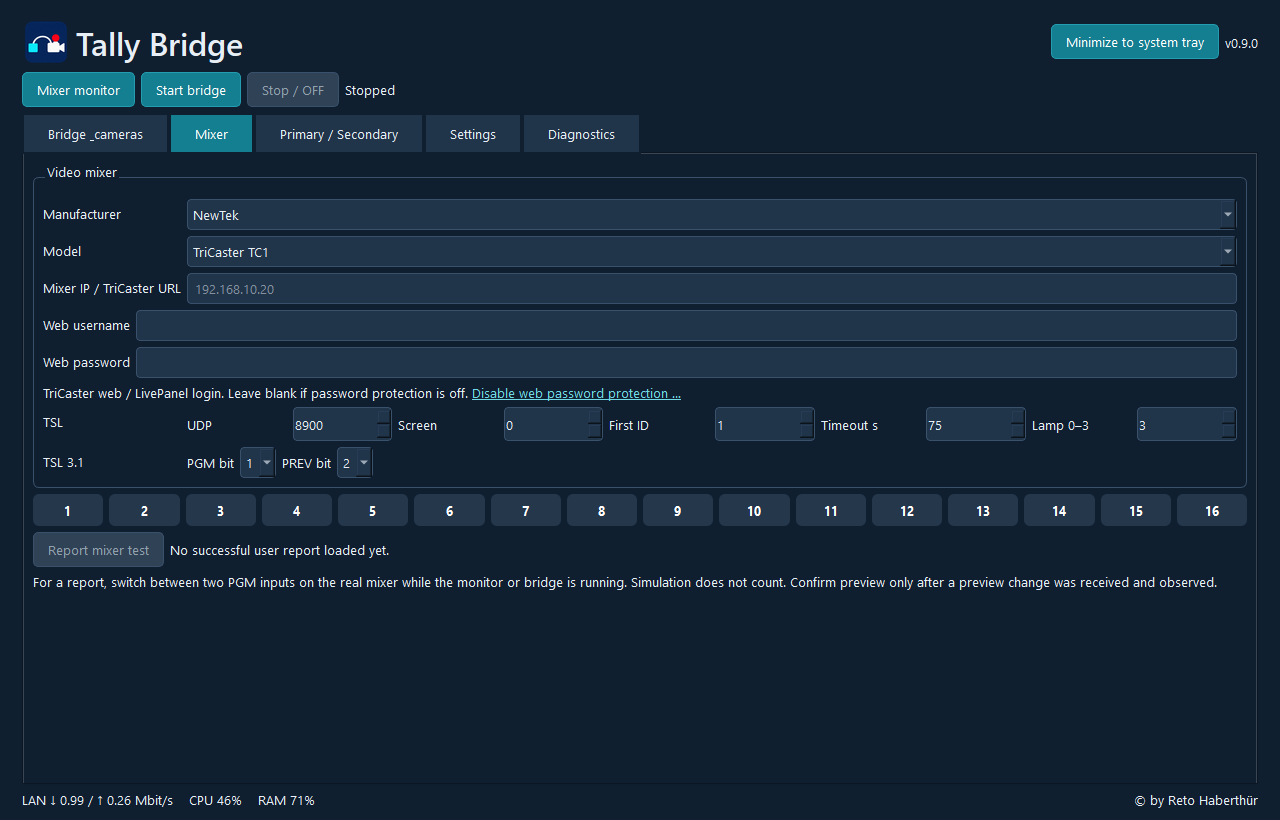
Mixer configuration and input monitor. Example with no mixer connected; Indicators light up when tally states are received.
Checking cameras and sharing experiences
A camera test is also possible without a connected video mixer. He briefly switches on the program light and then restores the intended state. Successful tests are stored locally with date. The diagnostic protocol helps setup and displays connection and protocol messages.
After a successful camera or mixer test, a report can be submitted voluntarily. Model, firmware and confirmed test scope help other users to choose the device. Device IPs, access data, serial numbers and own camera names are not part of the public report. Program and preview are shown separately.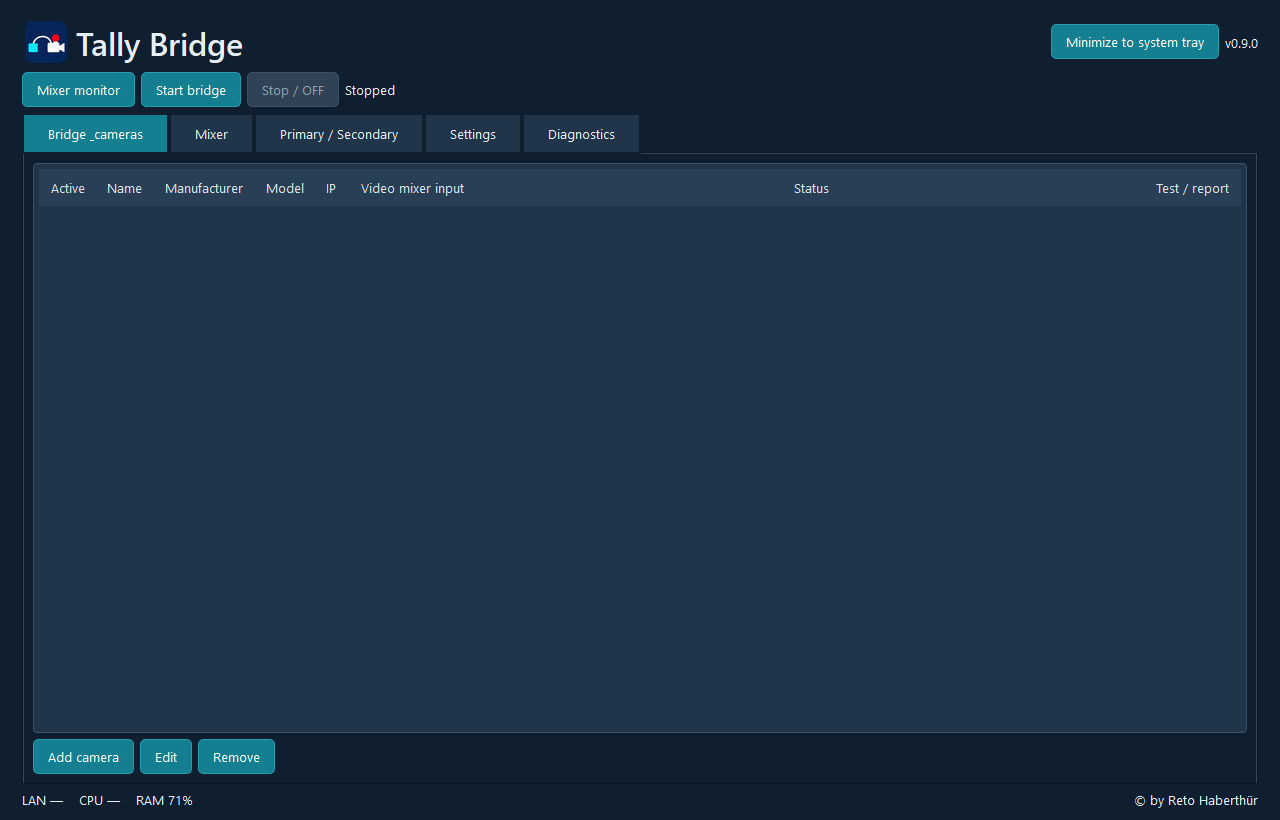
Camera mapping, status, tests and reports in one view. Example before cameras have been added.
Flexible venues with Primary / Secondary
Multiple instances on separate PCs can work together via a six-digit coupling ID. The function is optional and switched off by default. For each group, exactly one instance is set as primary. Each secondary can choose between two operating modes:
- Standby: If Primary is accessible, Secondary pauses its camera control. If the connection fails, she takes over with her own video mixer and her locally registered cameras. A failover can also be set up.
- Relay: If Primary is accessible, Secondary uses its tally inputs for its own cameras. Without primary, it switches to its local video mixer.
Upon return of the primary, the switchover occurs automatically. silent loss of connection is detected after about three seconds; A clear disconnection can lead to the takeover more quickly. The local mixer remains monitored for takeover. In case of disconnection, both sides may be active at the same time; the feature does not provide a guaranteed exclusive lock for sharedly configured cameras. The multi-PC operation must be tested in the respective event network.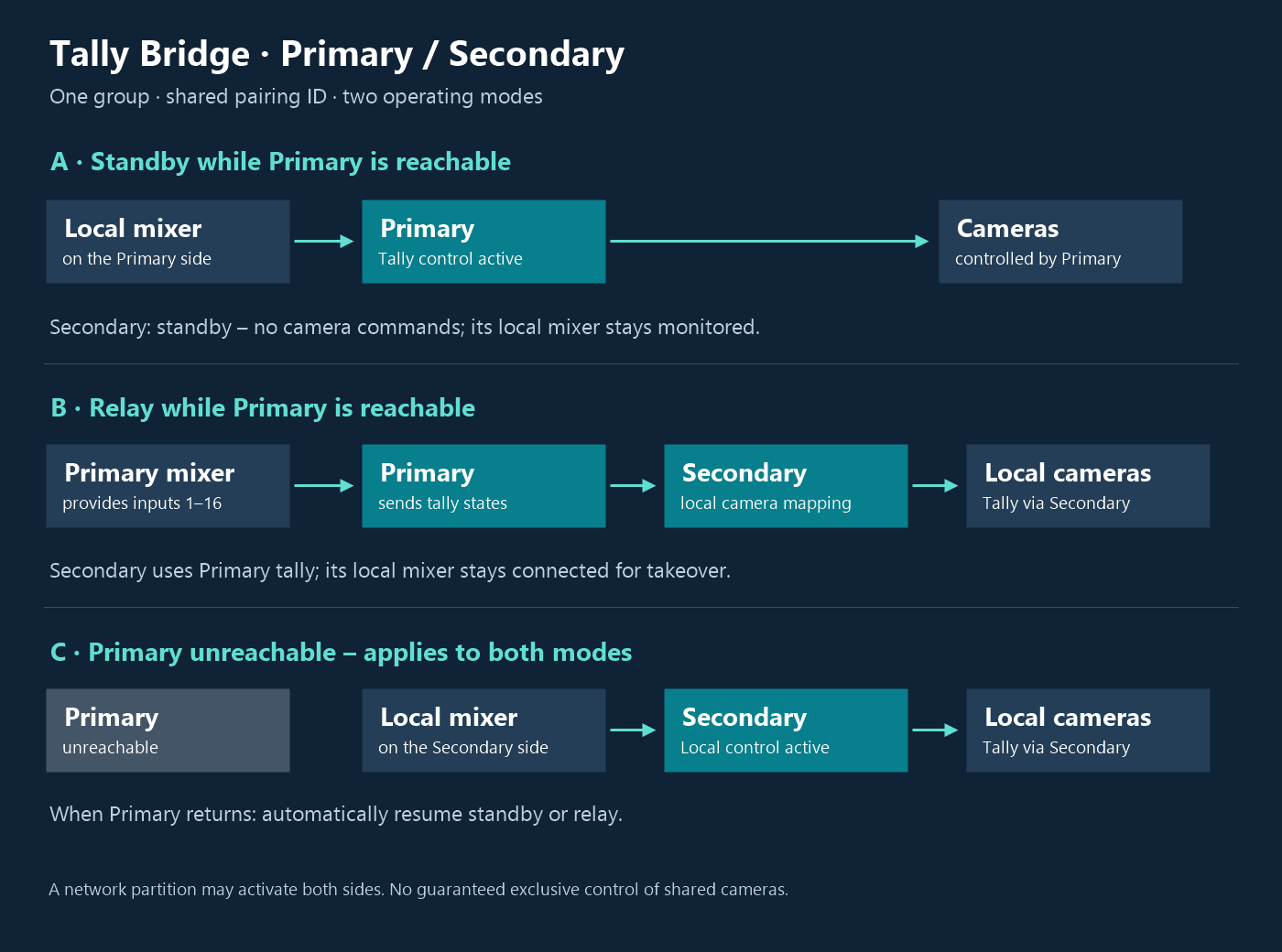
The two operating modes and automatic takeover by the local mixer when primary is unreachable.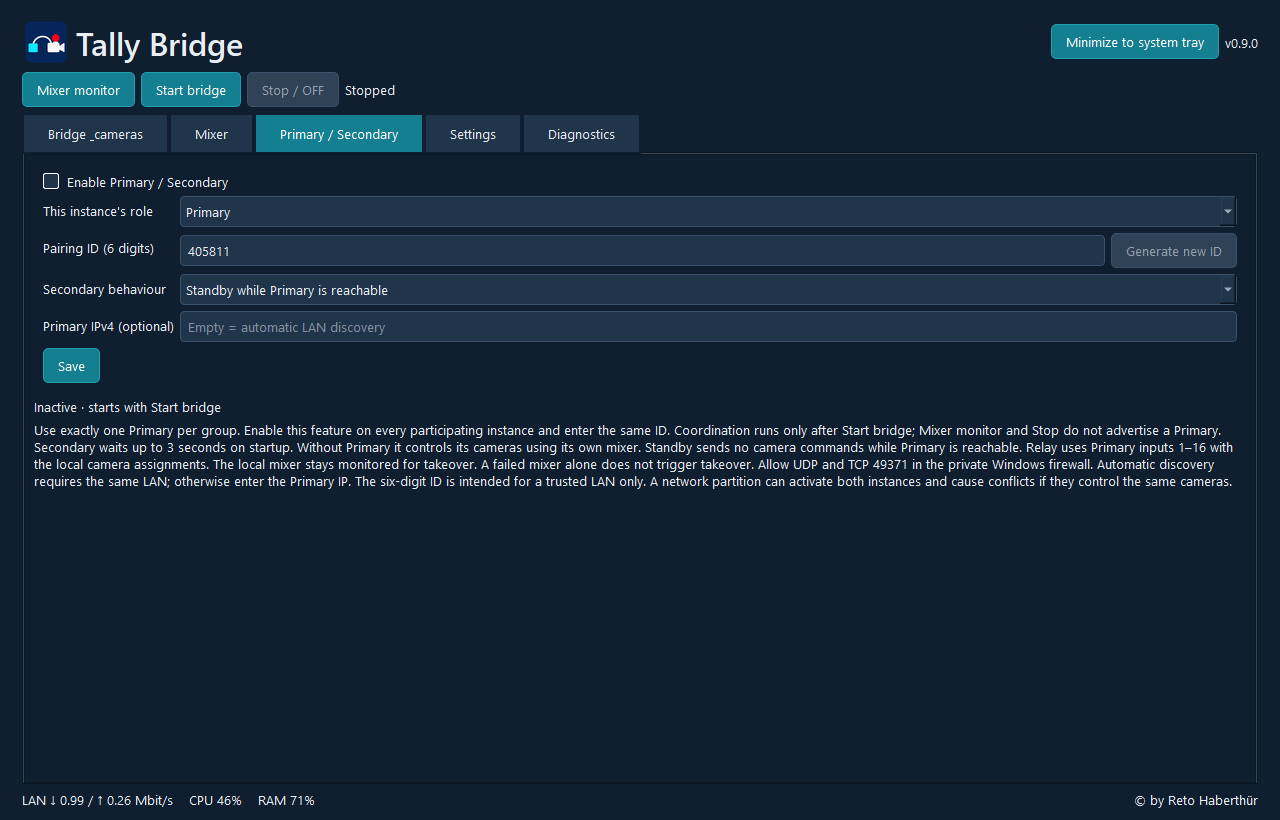
Coordination is enabled explicitly. Each instance stores its role, pairing ID and operating mode.
For ongoing production
Tally Bridge can be minimized in the system tray and, if desired, continued in the background when closing the window. Optionally, the application starts after Windows login and activates the saved Bridge configuration. Configurations can be exported and imported. The update check at start only reports actually available updates.
The software is free of charge. Voluntary support for Support my projects helps with the further development and to continue to offer the tools free of charge.
Current device compatibility
The following list combines device catalogs, documented hardware tests and new positive user reports. “Open test” does not mean “incompatible”. A successful individual test applies to the specified scope and, if applicable, the firmware mentioned.
Kompatibilitätsliste separat öffnen
Download the software here:

Have fun with it
Support my projects
If you find my projects useful, you can support their further development financially and help ensure that these scripts and tools remain available to everyone for free.
Any support is voluntary and highly appreciated.