Panasonic Dashboard V2 - Server Variant
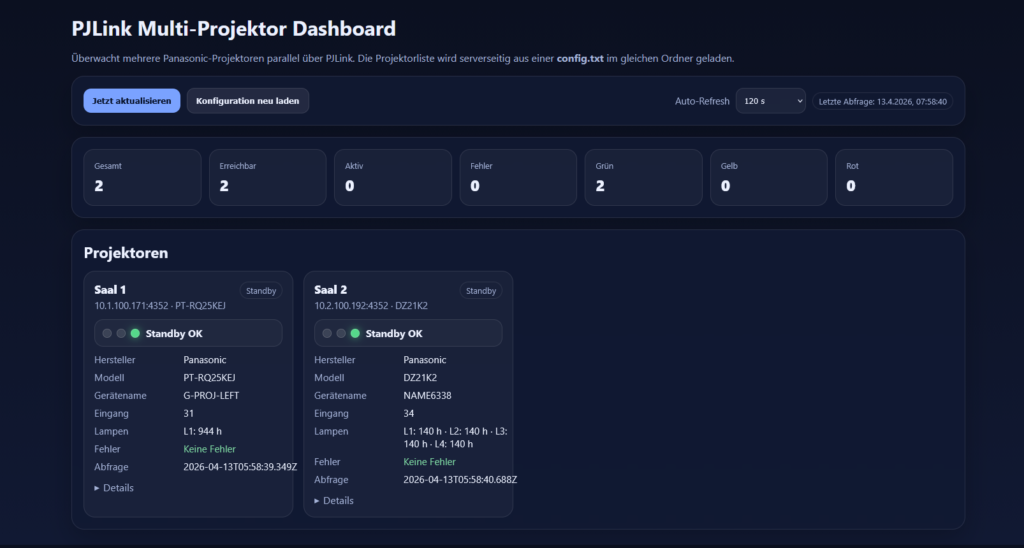
The script is used to read out the status of Panasonic projectors in a network. It is a multi-device dashboard that reads out the status of the projectors via the PJLink and clearly displays them.
The first script was still built as a standalone script for a PC and you had to run Node.js in parallel. Since this is more of a craft in a larger network structure, I have adapted the script for use on an Apache server with MySQL. This makes it easier to implement in the intranet.
Conditions and operation
The script has an installer that queries the DB connection at the first activation. The script can be operated in English or German.
To run the script you need:
- PHP from 8.2 with PDO/pdo mysql, OpenSSL, Sessions and `stream socket client`.
- MySQL from 5.7 or MariaDB from 10.3; InnoDB and utf8mb4.
- For the setup, the DB user requires CREATE and DROP as well as SELECT, INSERT, UPDATE, DELETE; additionally CREATE DATABASE for the automatic creation of the database. The installer does not create a DB user.
- Web servers and projectors must be reached via the LAN. PJLink must be on the device; Standard port TCP 4352.
- To access other LAN computers, the configured HTTP/HTTPS port in the server firewall must be accessible for the LAN.
The application is designed for operation on the LAN and has no login or user management. Anyone with access can edit devices. The dashboard only queries statuses and offers no shift commands.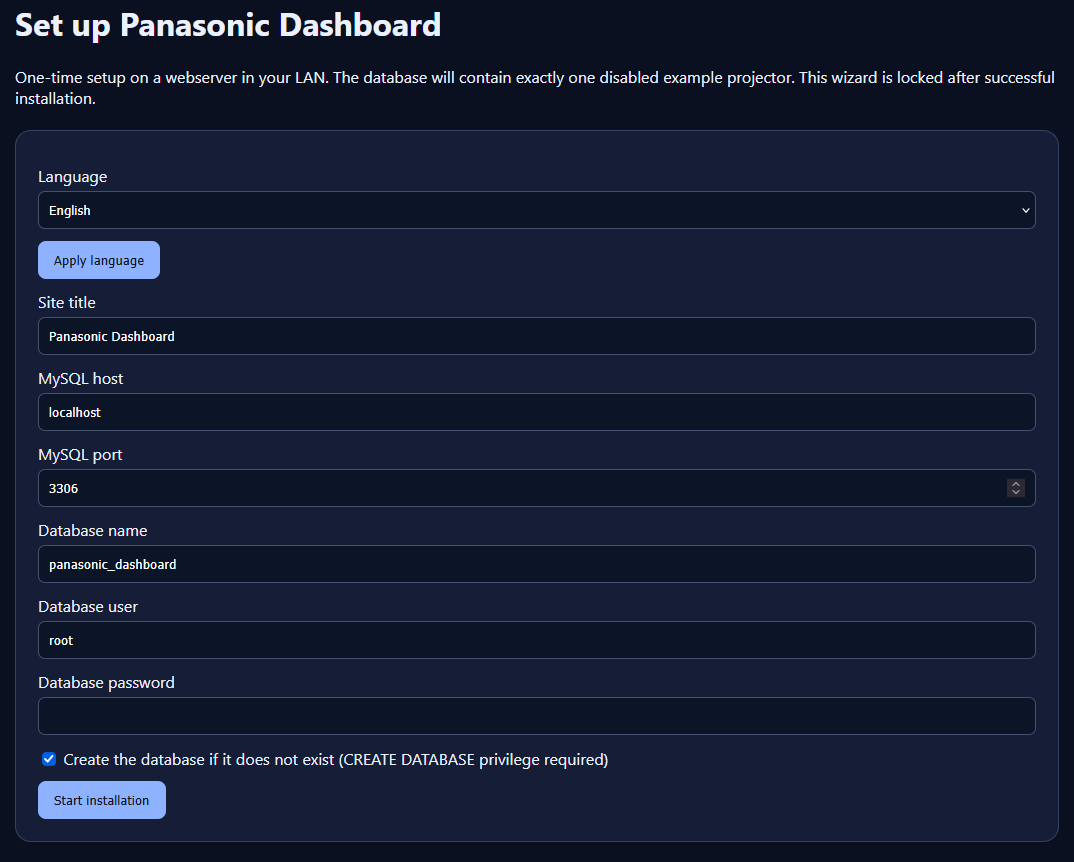
The connection settings are stored in the config. In the event of any updates, copy the new files via the previous installation and receive the existing `config.php`.
As navigation points, there is the dashboard itself, devices and settings.
Once the installation is done, the projectors can be created. In addition to IP and ports, you have to enter the password.
Device passwords are stored encrypted with AES-256-GCM and are not delivered to the dashboard.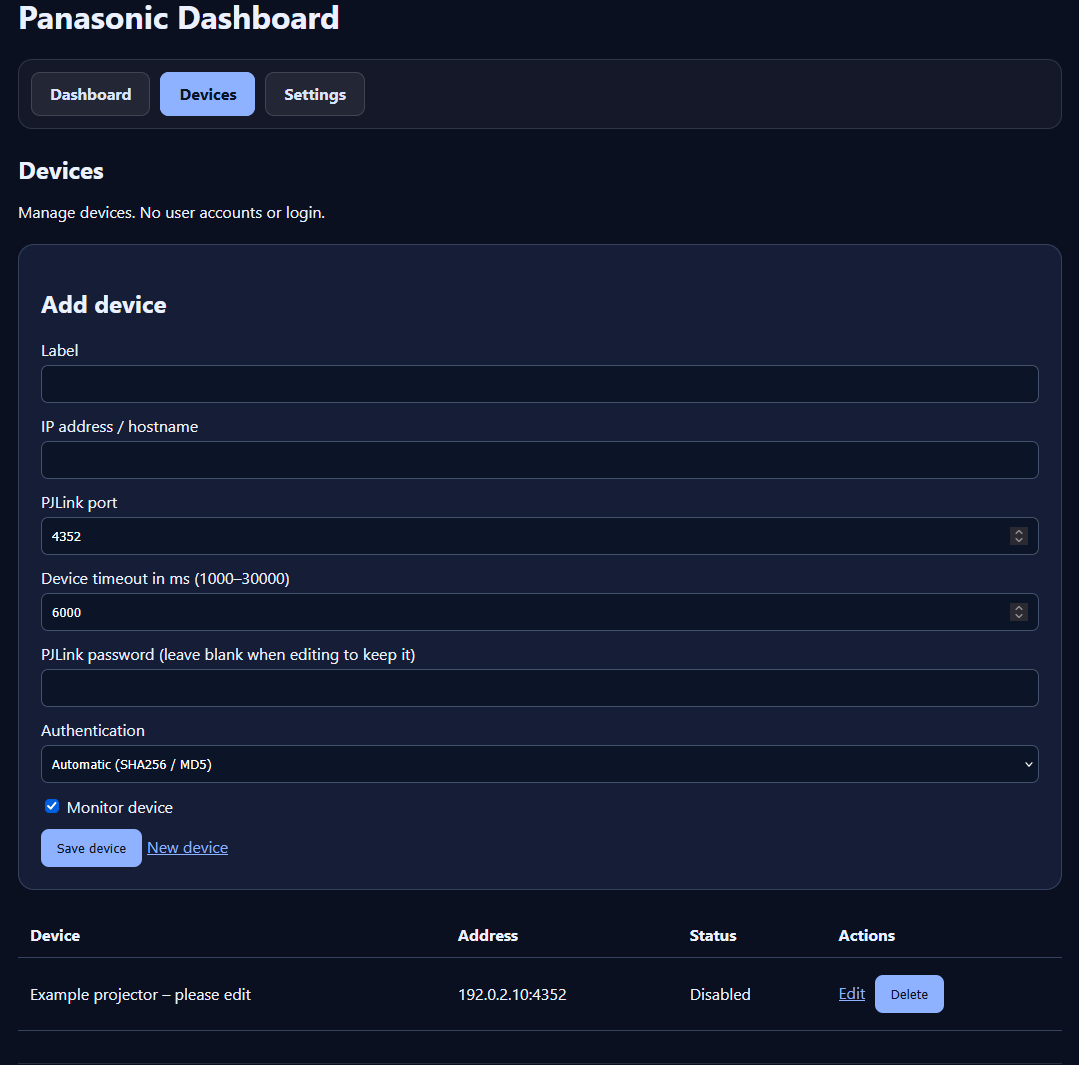
Once the projectors are created, they appear in the dashboard. In the event of an erroneous query, corresponding error messages are output.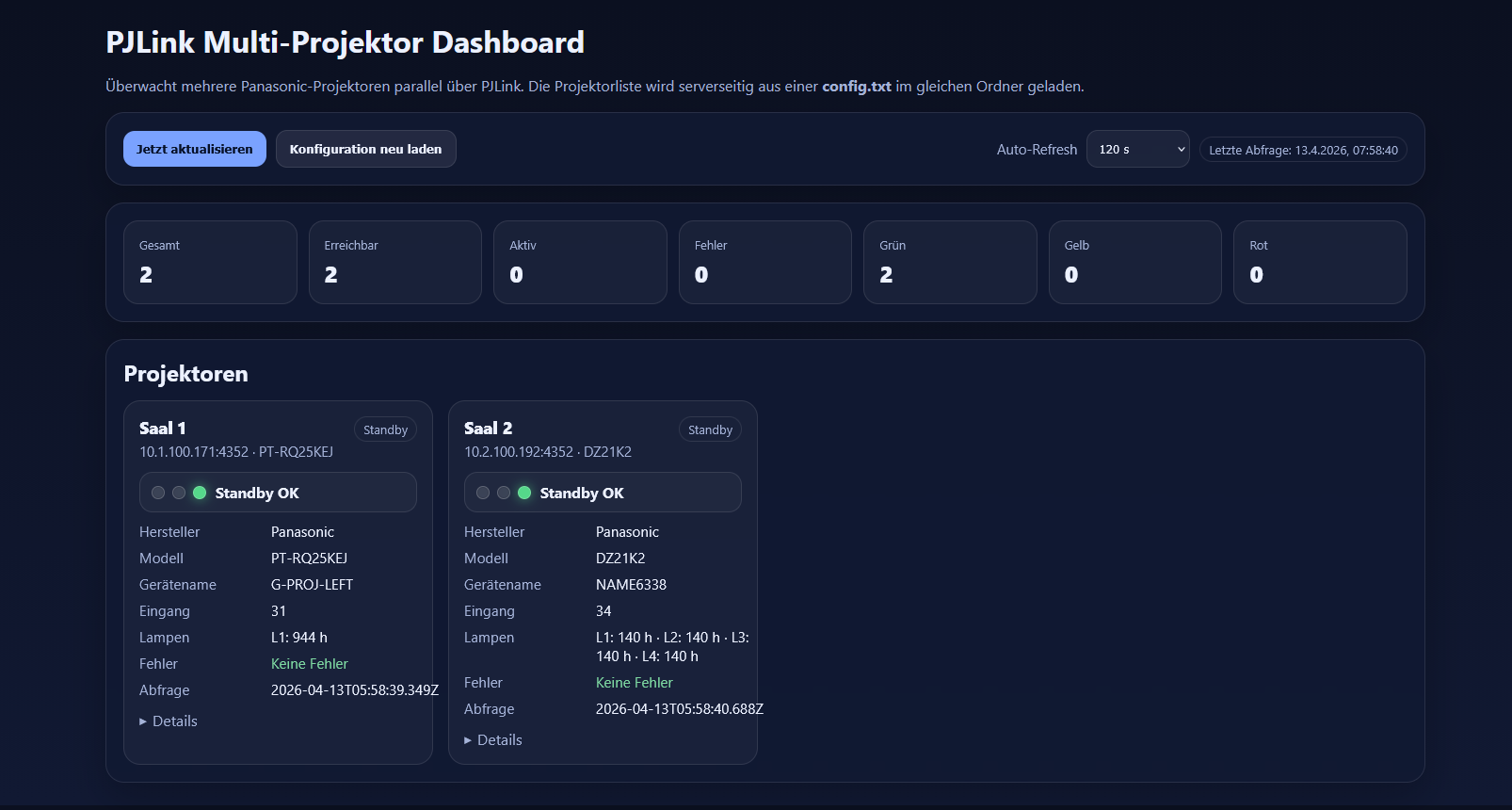
In the settings, you can change the language, change the page title, set the refreshrate (default is 120s) and hide the dashboard statisics for a more compact display.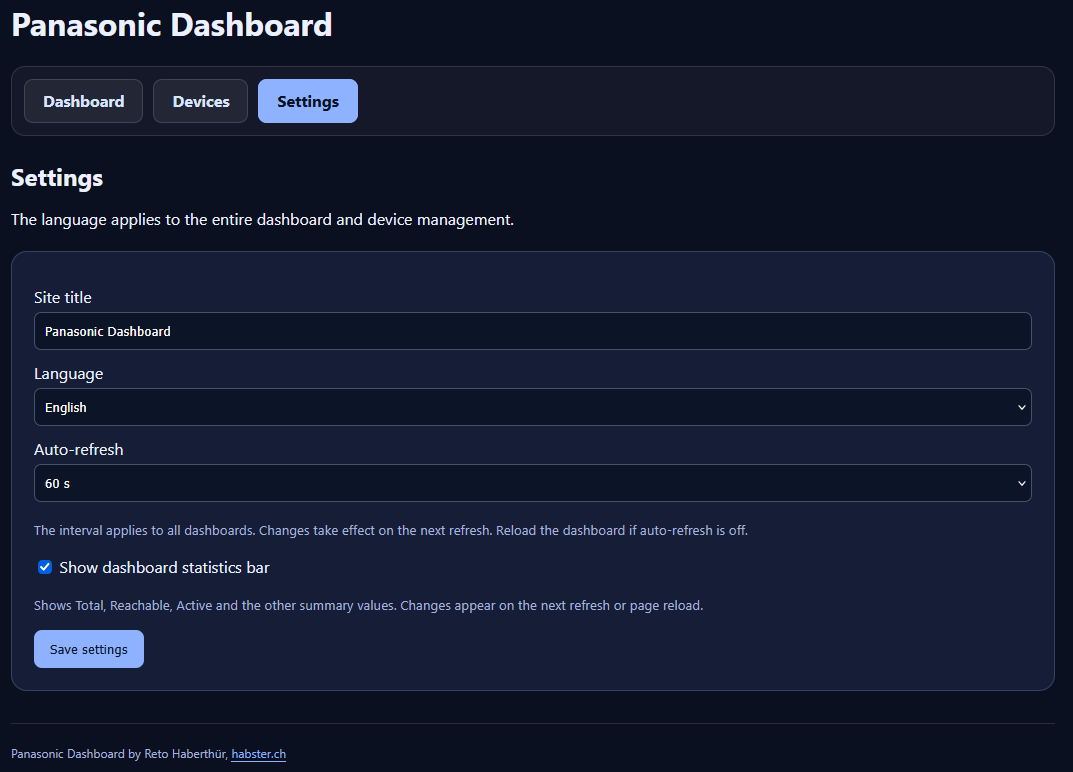
Interested in the script? 😉
So then, here’s the download. Have fun with it
Panasonic dashboard PHP.zip
Would you like to support my projects and thus make a contribution so that I can continue to offer the scripts and tools for free. Then I would be happy about a support contribution.
This is, of course, absolutely voluntary.
Das könnte Sie auch interessieren

Venue timers

Blackmagic XML Generator